top of page

How to setup prices
for print goods
1.Setup the print goods markup
For print products like posters and art prints, you can set your own profit percentage above 40%.
The minimum is 40%, and if you don’t set anything, it will automatically use 40%.
You can increase this percentage anytime in your My Info settings. This markup will apply to these products: Enhanced Matte Paper Poster, Premium Luster Photo Paper Poster, Enhanced Matte Paper Framed Poster, Premium Luster Photo Paper Framed Poster, Canvas, Thin Canvas, and Framed Canvas.
1.1 Click User Image


1.2 Click My Info


1.3 Set your Markup

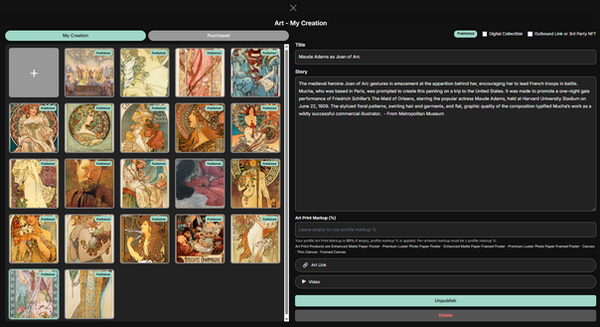
2.Markup for Each Artwork
You can also set a custom markup for each individual artwork.
By default, your global markup (from My Info) will be used. But if you want to price a specific artwork differently—such as charging more for a premium piece—you can override the markup just for that artwork. This lets you adjust pricing based on the value or uniqueness of each piece, while still keeping your overall pricing simple.
2.1 Click Art

2.2 Set Markup for an individual artwork
bottom of page